Track Recurring Sessions
Group recurring meetings together to track attendance trends over time.
Recurring Sessions let you group related meetings together, so you can track attendance trends over time. Instead of reviewing each meeting individually, you get a single view showing attendance rates, participation history, and trends across every session.
This is especially useful for any meeting that happens on a regular schedule — weekly standups, training sessions, lectures, or team check-ins.
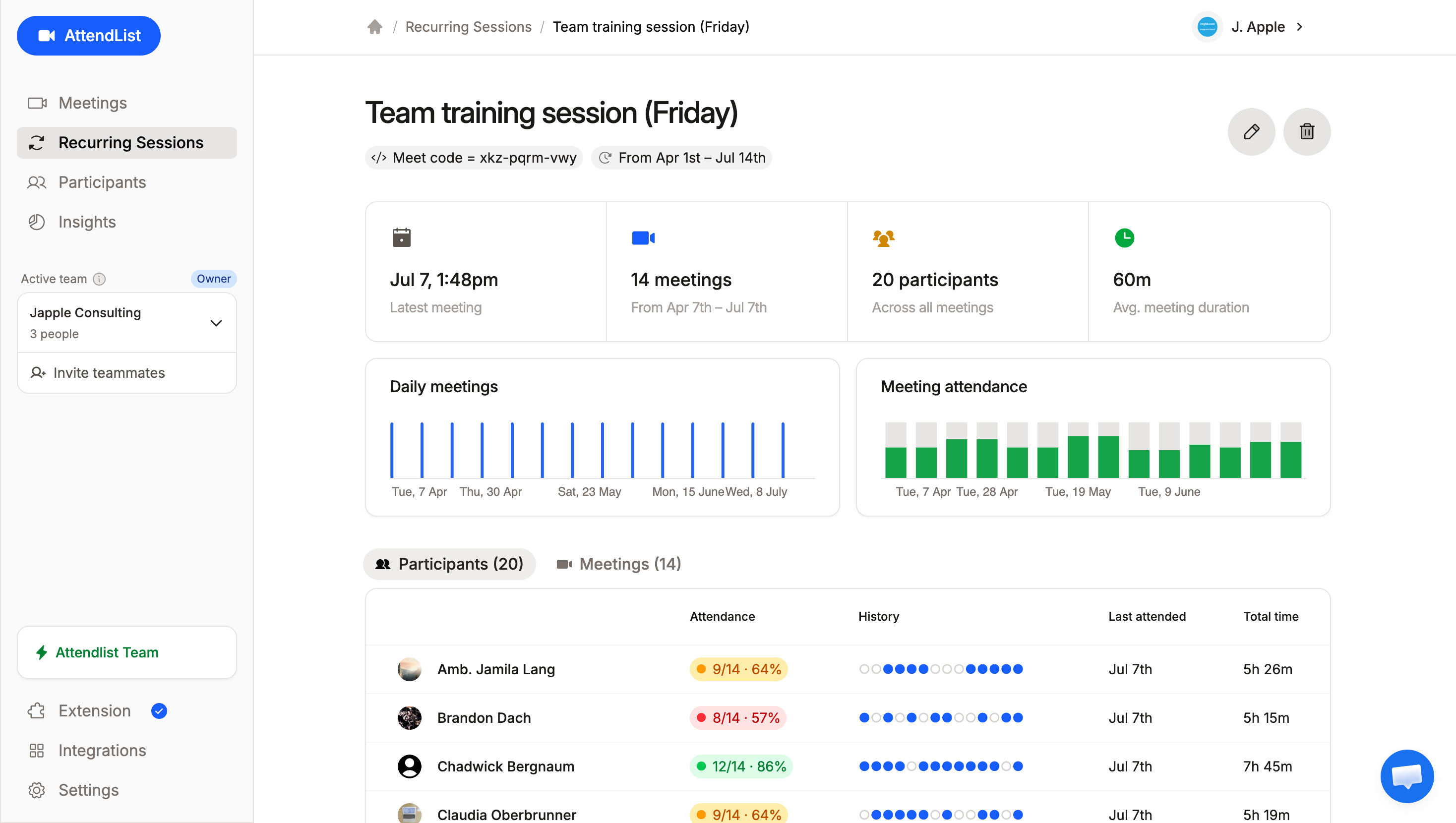
A recurring session in AttendList, showing attendance trends, meeting history, and attendance rates for 20 people across 14 meetings.
Creating a Recurring Session
To create a recurring session, head to the Recurring Sessions page and click "+ New Session".
You'll need to configure two things: a title and a session rule.
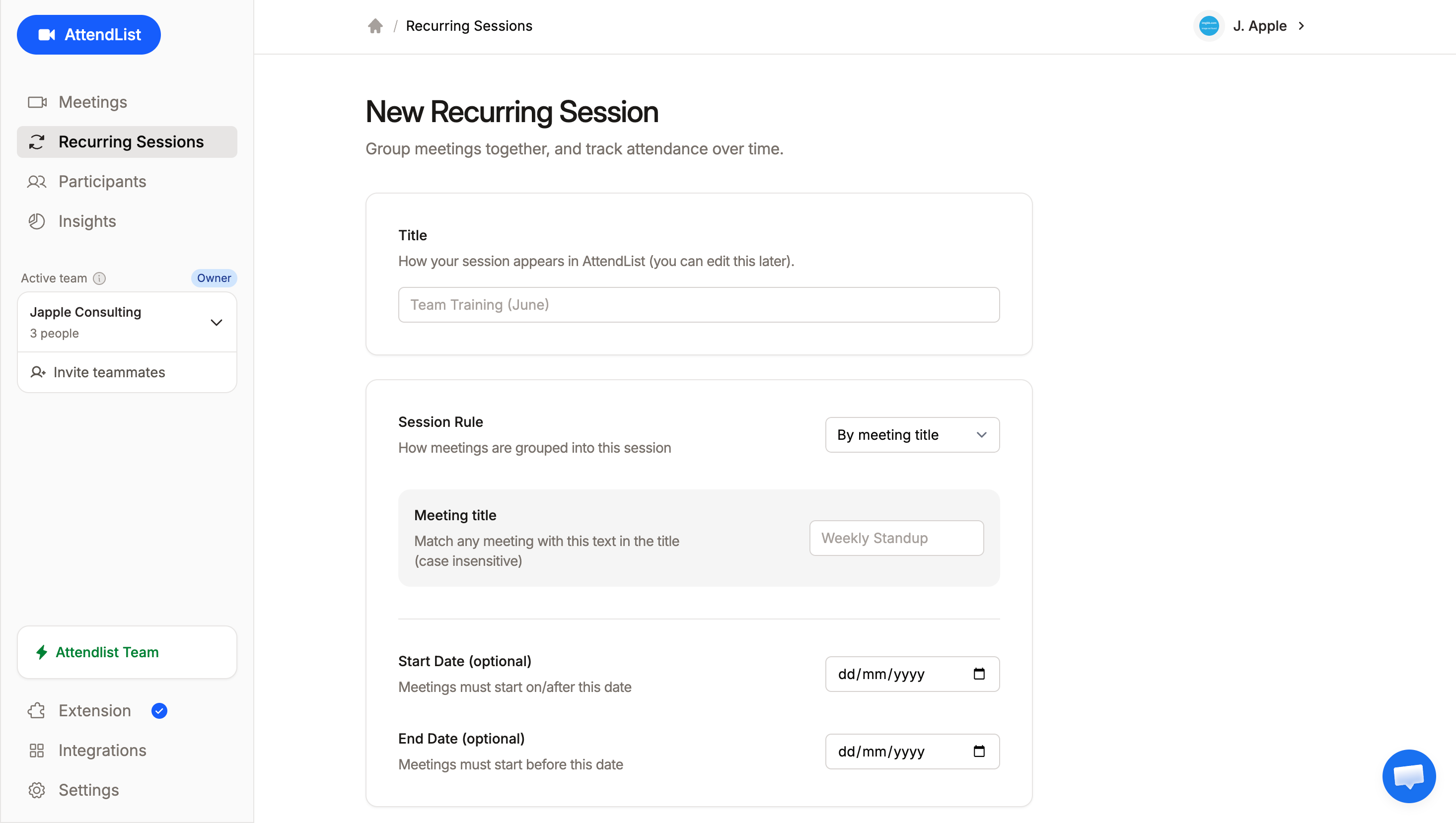
The new recurring session form, showing options for title, session rule, and optional start and end dates.
Session rules
The session rule controls how meetings are matched into your recurring session. There are two options:
- By meeting title: matches any meeting that contains the text you specify in its title (case insensitive).
- For example, entering "Weekly Standup" would match meetings titled "Weekly Standup", "Weekly Standup (June)", or "team A — weekly standup".
- By meeting code: matches any meeting with the exact Google Meet code you specify (e.g.
abc-defg-hij).- This is useful when your recurring meeting always uses the same Meet link.
Start and end dates (optional)
You can optionally set a start date and/or end date to limit which meetings are included. Only meetings that fall within the date range will be grouped into the session.
This is particularly useful for modelling class or term dates — for example, setting a start date of February 1st and an end date of June 30th to capture only the meetings from a specific semester or training program.
Without date boundaries, every matching meeting (past and future) is included.