How to Track Attendance for Online Tutoring Sessions
What to record for each online lesson, three ways to record it, and a worked example of a group class. Written for independent tutors, tutoring centers and tuition centres.
To track attendance for online tutoring, record five things for every lesson:
- who was expected,
- who joined,
- when they joined,
- how long they stayed,
- and anything you'll need to follow up.
You can do that with a register you fill in by hand, a spreadsheet, or a tool that captures it from the video call. Which one is right depends on how many lessons you run.
What should an online tutoring attendance record include?
| Field | Why it matters | Essential? |
|---|---|---|
| Student email or ID | Use something stable. Display names on a call can change. | Yes |
| Lesson date and scheduled time | Lets you spot lateness and match the record to your timetable. | Yes |
| Attendance status | Present, late or absent. | Yes |
| Tutor | Needed as soon as more than one person teaches. | Yes, for teams |
| Joining and leaving times | Answers "was she there for the whole lesson?" | Useful |
| Duration | Time actually present. | Useful |
| Follow-up notes | "Left early, parent emailed ahead." Short, factual, dated. | Useful |
An attendance record is not a billing record. It says what happened. Whether a missed or shortened lesson is charged depends on your cancellation policy. Keep the two separate.
Record who was expected, not only who turned up. A video call knows who joined. It doesn't know who should have. That list, your roster, has to come from you.
Three ways to track online tutoring attendance
1. A manual register
A notebook or a printed sheet you tick during the lesson.
- Good for: one tutor, one-to-one lessons, a few students.
- Limits: you're marking it while teaching, and it's hard to total up at the end of term. It's also easy to forget to mark attendance, leaving you guessing.
2. A spreadsheet or tutoring management software
A spreadsheet can automatically calculate totals and percentages. Tutoring management software (the kind that also handles scheduling and invoicing) usually has this built in.
- Good for: most independent tutors and small tutoring centers. If you already pay for management software, use its register first.
- Limits: somebody still has to mark every lesson, and joining times in a group class are usually a guess.
3. Automatic capture from Google Meet
If you teach over Google Meet, the call itself knows who joined and when. Google's built-in attendance report comes with some paid Workspace editions, and attendance tools like AttendList record it on any Google account.
- Good for: group classes, several tutors, co-ordination via a shared dashboard, and anyone who needs joining times they can rely on.
- Limits: it records who joined, so absences only show up when you compare against your roster.
How to track attendance for group tutoring classes
Here's a month of a weekly group class: 6 students, Tuesdays from 5pm to 6pm. Every name is made up.
- P is present.
- L is late (joined more than five minutes after the start).
- A is absent.
| Student | 6 Jan | 13 Jan | 20 Jan | 27 Jan | Attended | Late | % | |
|---|---|---|---|---|---|---|---|---|
| [email protected] | Aisha R. | P | P | P | P | 4 / 4 | 0 | 100% |
| [email protected] | Daniela S. | P | P | A | P | 3 / 4 | 0 | 75% |
| [email protected] | Ethan B. | L | P | P | L | 4 / 4 | 2 | 100% |
| [email protected] | George A. | A | A | P | P | 2 / 4 | 0 | 50% |
| [email protected] | Isaac M. | P | P | P | P | 4 / 4 | 0 | 100% |
| [email protected] | Noah B. | A | P | A | A | 1 / 4 | 0 | 25% |
This layout (students in rows, lessons in columns) is all a register needs. The percentage is lessons attended divided by lessons held: Daniela attended 3 of 4, so 75%.
What the grid shows, and what it hides:
- Absences only exist because of the roster. Noah missed three lessons. No report from the video call mentions him on those dates. He's marked absent because he's on the list.
- Late still counts as attended. Ethan has 100% and was late twice. If lateness matters to parents, give it its own column.
- A percentage hides the pattern. George's 50% is two missed lessons, then perfect attendance. Noah's 25% is one lesson, then nothing since. They need different conversations.
- Disconnections don't show up. On 20 January, Isaac dropped out and rejoined three times. He's marked present, but was there for 49 of the 60 minutes. Only a duration or a note can hold that.
For a class that runs all term, my guide to tracking attendance across recurring Google Meet meetings covers how to set that up in a spreadsheet.
How to manage attendance across multiple tutors
One tutor with one spreadsheet can work.
However...
The problems start when each tutor keeps their own. Do any of these sound familiar?
- Formats drift. One tutor writes "late", another writes a time, a third leaves it blank.
- The owner can't see anything without asking. Answering a parent means messaging the tutor and waiting.
- Records leave with people. When a tutor moves on, their spreadsheet often goes too.
- End-of-term reporting is a time-intensive merge job.
The fix is simple: one shared place, one format, and one person responsible for checking it.
A single shared spreadsheet with a tab per class is already a real improvement.
But it's possible to go further, and this is what AttendList's team features are for.
Each tutor connects their own Google account, and their lessons are recorded automatically. The owner and any admins see every tutor's attendance reports in one place, and can download them without asking anybody.
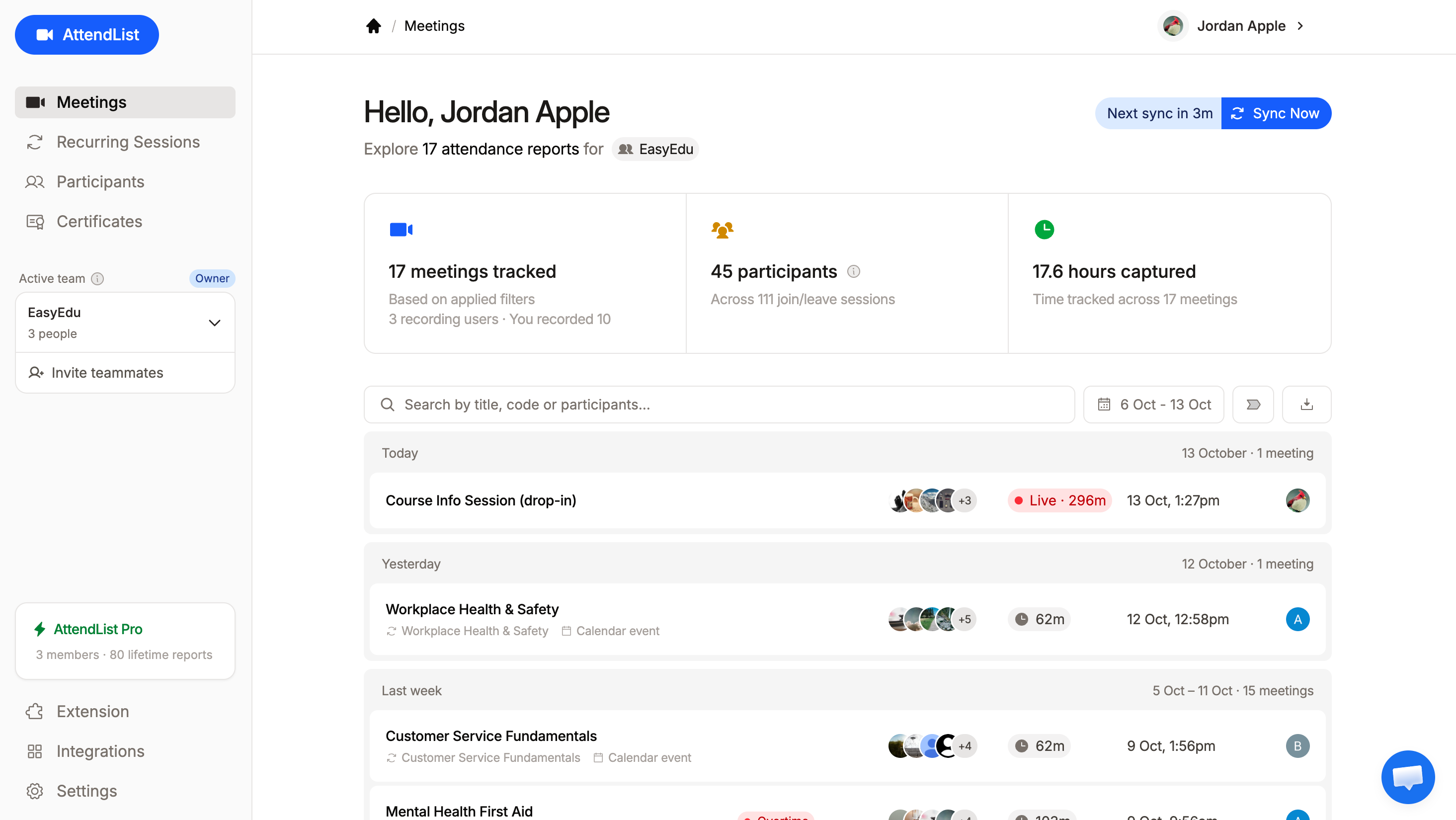
The free plan allows up to five people on a team, with 14 days of history. Pro is charged per person and removes the limits. See using AttendList with your team.

Track attendance automatically with AttendList
Connect your Google account once, and AttendList records attendance in every Google Meet you join.
Handling parent inquiries and lesson disputes
Most questions from parents are simple if the record is good:
"Was Ethan in Tuesday's lesson?" Yes. He joined at 5:21pm and stayed until the end, 39 minutes in total.
"Has Noah been attending?" One lesson out of four in January. He was absent on the 6th, 20th and 27th.
"We were charged for a lesson that didn't happen." The record shows whether the tutor and the student were both in the call, and for how long. Your cancellation policy decides what follows.
Accurate, trusted records let you deal in facts, not judgment: the date, the joining and leaving times, and the duration.
Just be aware of what an attendance record can't tell you:
- whether the student was paying attention,
- whether the person at the device was the student,
- whether they understood the lesson,
- or why they were late or absent.
For those, the tutor's notes matter more than any timestamp.
Common mistakes
- Matching on display names. "Sam's iPad" this week, "Samuel" the next. Match students by the email they join with, or a stable ID.
- Expecting absent students to appear in the Meet report. They won't. Compare the report against your roster.
- Treating joining as proof of participation. It proves a connection.
- Losing records between terms. Archive old registers somewhere the business controls, not on a tutor's personal drive.
- Mixing attendance time with billable hours. A student who attends 39 minutes of a 60-minute lesson has usually still booked 60. Record both, in separate columns.
When should a tutoring business automate attendance?
A solo tutor with a few lessons a week may not need attendance software. A spreadsheet only takes a few minutes to update.
The case for automating gets stronger with each of these:
- Group classes, where marking a dozen students while teaching is unreliable.
- Several tutors, where an owner or manager needs to see records without asking.
- Recurring courses, where attendance across a term matters to parents or schools.
- Regular questions about timing, where "I think she was there" isn't good enough.
Then it's a question of which tool:
| Spreadsheet | Tutoring management software | Attendance tool (such as AttendList) | |
|---|---|---|---|
| Cost | Free | Usually a monthly fee | Free plan, then $14 per person a month |
| Who marks attendance | The tutor | The tutor | Captured automatically |
| Exact joining times | Only if typed in | Rarely | Yes |
| Knows who was absent | Yes, with a roster | Yes, from bookings | From your own roster |
| Scheduling and invoicing | No | Yes | No |
| Several tutors | Gets messy | Yes | Yes |
If you need scheduling and invoicing, tutoring management software is the better first purchase, and its register may be all you need. If your gap is accurate attendance from Google Meet, a specialized tool fills it without replacing anything else.
Related guides
- How to track attendance across recurring Google Meet meetings
- How to create certificates of attendance for online training
- How to get a Google Meet attendance report
- Using AttendList with your team
Frequently asked questions
What is the easiest way to track attendance for online tutoring?
For a tutor with a handful of lessons a week, a spreadsheet register with one row per student and one column per lesson is the easiest option. Mark each student present, late or absent straight after the lesson. Once you have several tutors or recurring group classes, capturing attendance automatically from your video call saves the most time.
Is an attendance record the same as a billing record?
No. An attendance record says what happened: who joined, when, and for how long. Whether a missed or shortened lesson is charged depends on your own terms, such as a cancellation or no-show policy. Keep the two separate, and use the attendance record as evidence when you apply your billing policy.
How long should a tutoring business keep attendance records?
There is no single answer, and it depends on where you operate and who your students are. A sensible starting point is to keep records for as long as you might need to answer a question about them, such as a billing query or a request from a parent or school, and to write that period down in your privacy policy. If you work with schools or public funding, ask them what they require.
Does joining the call prove a student took part in the lesson?
No. A record from Google Meet shows that an account joined the call and how long it stayed connected. It doesn't show whether the student was paying attention, had their camera on, or understood the material. Keep a short note for anything about participation that you'd want to remember later.
About the author
Harrison Broadbent
Harrison is the creator of AttendList, an attendance management system for Google Meet. As the founder, he builds the product, answers the support chat... and writes these guides!