How to Create Certificates of Attendance for Online Training
How to issue certificates of attendance for online training. Decide who qualifies, what goes on the certificate, then make them by hand or straight from your Google Meet attendance records.
To create certificates of attendance for online training, you need two things:
- A reliable record of who attended.
- A template or tool that turns that record into certificates.
The reliable record is critical!
A certificate is only as trustworthy as the attendance data behind it.
Once you've got trusted attendance data, the steps to issue certificates are the same, whatever tool you choose:
- Decide what qualifies someone, before the training starts.
- Record attendance during the training.
- Calculate who met the rule.
- Create a certificate for each person who qualified.
- Send them, and keep a list of what certificates you issued.
Certificate of attendance vs certificate of completion
They're often mixed up, so be exact about what you're issuing.
| Certificate | What it says | What it's based on |
|---|---|---|
| Attendance | This person was present. | An attendance record |
| Completion | This person finished everything the course required. | Attendance plus any required tasks |
| Achievement | This person met a defined standard. | An assessment with a pass mark |
| Professional certification | This person is qualified, according to an awarding body. | An exam set by that body |
A certificate of attendance isn't accreditation. It doesn't show that someone understood the material or passed anything. Whether it counts toward CPD, CEU, CPE or licensing credit is decided by the professional body, not by whoever issues the certificate.
If your training had no assessment, "certificate of attendance" is the accurate name.
What information should be on an attendance certificate?
Essential:
- Participant's full name. That may not be their display name on the call.
- Course / session title.
- Date, or date range for a multi-session course.
- Who issued it: a person, an organization, or both.
- The words "Certificate of Attendance", so nobody mistakes it for a qualification.
Worth including:
- Attendance detail, like "7 of 8 sessions" or "12 hours".
- A certificate ID, unique to each certificate.
- How to verify it: a web address, or a contact email.
Optional: your logo, a signature, and a line describing the training.
Leave out anything you can't back up. Don't print hours you didn't measure, and don't mention credit or accreditation unless the awarding body has confirmed it.
How to decide who qualifies
Choose the rule before the training starts, and tell participants. Three common ones:
- Attended at all. Anyone who joined gets a certificate. Fine for a single webinar.
- Attended at least 80% of sessions. For a multi-session course. 7 of 8 sessions (87.5%) qualifies. 6 of 8 (75%) doesn't.
- Attended for a minimum time. For example, 80% of a session's length. 50 minutes of a 60-minute session qualifies. 20 minutes doesn't.
80% is a common convention, not a legal or accreditation requirement.
These rules can give different answers for the same person. Someone can join every session and still miss a time threshold in half of them. My guide to tracking attendance across recurring Google Meet meetings works through an example.
How to create a certificate manually
For a small group, a document template + some spare time is all you need.
- Start from a template. Microsoft Word and Canva both include certificate templates, and a plain landscape page in Google Docs works too.
- Set the fixed details: your organization, the course title, the dates and the issuer. Save this as your master copy.
- Fill in each participant's name, attendance and certificate ID. A simple ID scheme works: the year and a running number, like
2026-0001. - Export each one as a PDF. Send PDFs, never editable documents.
For more than about ten certificates, typing each one gets slow and is where mistakes happen. That's when a tool that automates it starts to pay off.
Creating attendance certificates from Google Meet
Google Meet doesn't issue certificates, so the first job is getting the attendance record out of it.
With Google's own report
If your Workspace edition includes attendance tracking, the organizer gets a spreadsheet after each meeting with each person's name, email and duration. Here's how to get that report.
Compare the durations against your rule, list who qualifies, and use that list to create certificates using the manual method above. For a course, you'll need to combine the reports from every session first.
With AttendList
I built AttendList to record Google Meet attendance automatically, and it can issue certificates straight from those records.
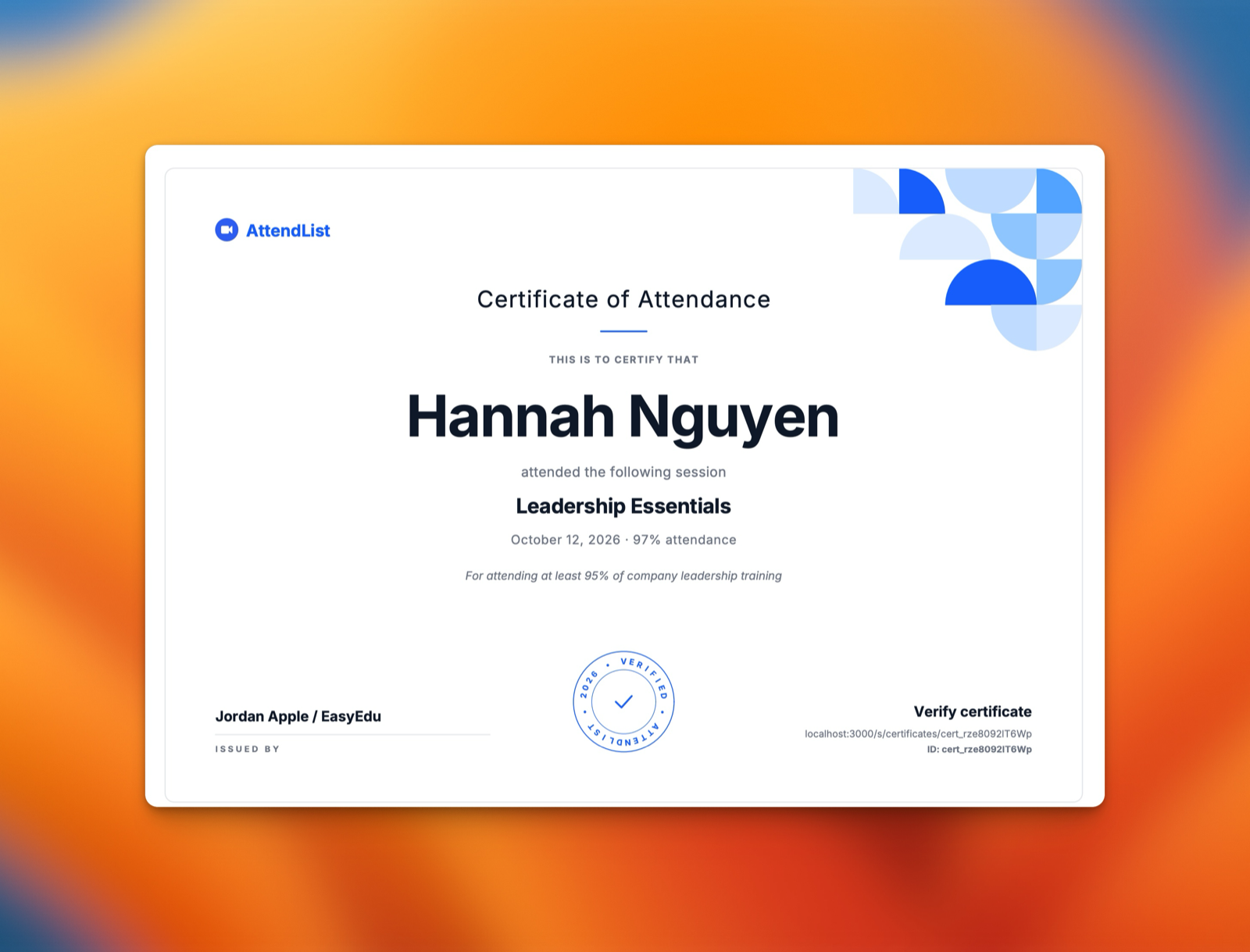
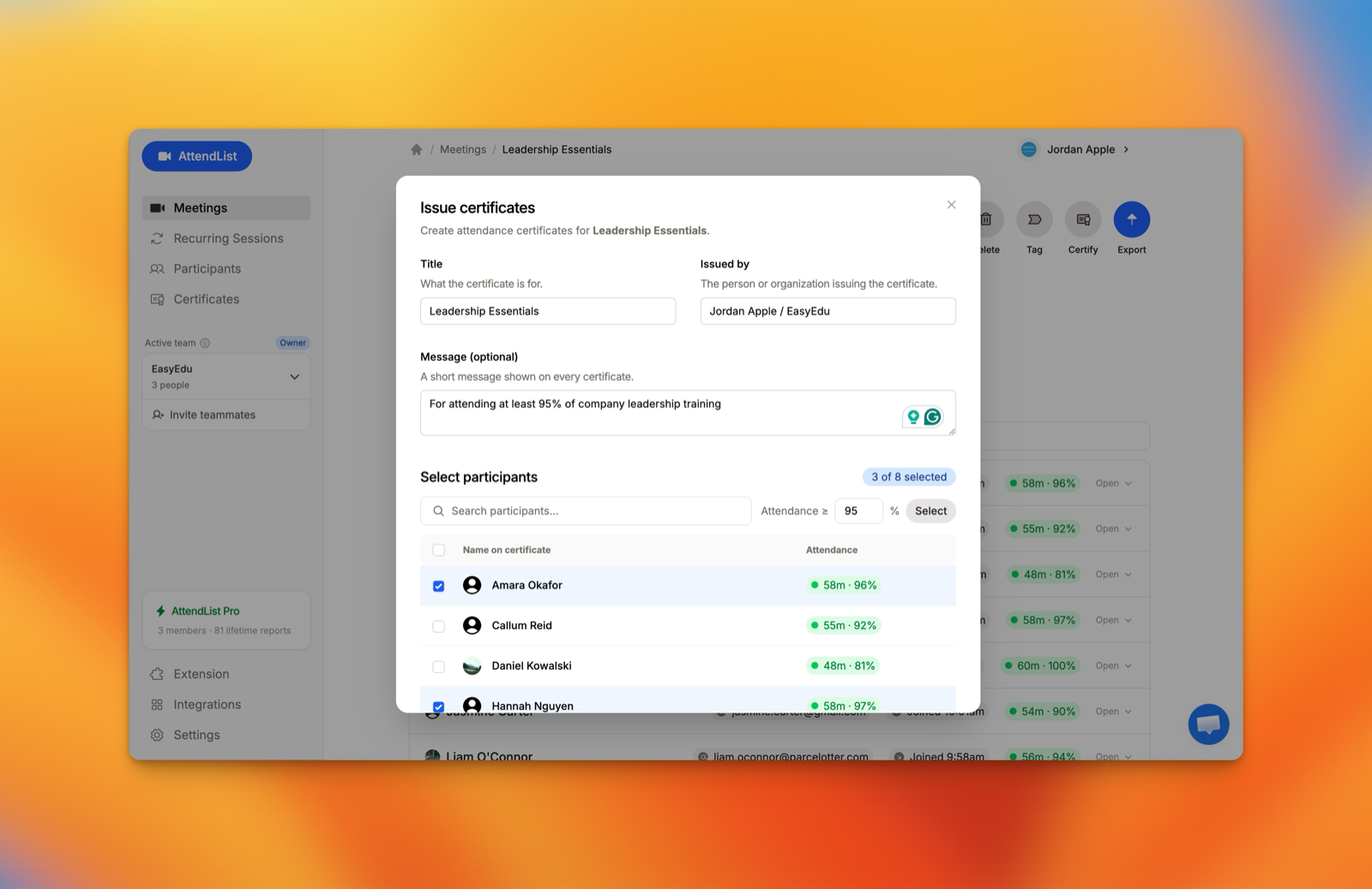
Issuing them in bulk takes five steps:
- Open a meeting or a recurring session and click Certify. Use a recurring session for a multi-session course.
- Fill in the details. A title, who it's issued by, and an optional message.
- Select qualifying participants. Select people by hand, or bulk-select everyone at or above a minimum attendance (e.g. 80%).
- Check the participant names. Each one can be edited before issuing.
- Issue and download. You get a PDF per person, or all of them in one download.

Track attendance automatically with AttendList
Connect your Google account once, and AttendList records attendance in every Google Meet you join.
How to verify a certificate
Sooner or later someone will ask whether a certificate is genuine. There are three ways to be able to answer:
- A register you keep. Somebody emails you an ID and you look it up. Free and reliable, but it depends on you replying.
- A verification page. Each certificate has its own web address showing who it was issued to, for what, and by whom. Anyone can check without contacting you. AttendList does this: every certificate prints its ID and a link, and the page shows whether it's valid or has been revoked.
- A digital signature on the PDF. Proves the file hasn't been altered. More than most training providers need.
Know the limits. A certificate ID proves nothing unless there's somewhere to check it. And a verification page confirms what was issued, not that the attendance record behind it was right.
Common problems
- Incorrect names. The most common complaint. Ask people to confirm the name they want before you issue, not after.
- Partial attendance. Decide in advance whether you allow exceptions and who approves them. Write down any you make.
- Duplicates. Someone joins from two devices and appears twice. Check your list for repeated names.
- Reissuing. Issue a corrected certificate with a new ID, and mark the old one as withdrawn. In AttendList, revoking applies to everything issued together, so you'd revoke that batch and issue it again.
- Privacy. A certificate names a person and what they attended. Don't publish lists of recipients without their agreement.
- Recordkeeping. Keep the attendance record that justified each certificate, not only the certificate.
Related guides
- How to track attendance across recurring Google Meet meetings
- How to get a Google Meet attendance report
- How to track attendance for online tutoring sessions
Frequently asked questions
What is the difference between a certificate of attendance and a certificate of completion?
A certificate of attendance confirms that someone was present at a training session or course. A certificate of completion says they finished everything the course required, which may include assignments or a final task. Neither one shows that the person passed an assessment, unless the course had one and the certificate says so.
Does a certificate of attendance count for CPD or continuing education credit?
Not on its own. Whether attendance counts toward CPD, CEU, CPE or licensing requirements is decided by the professional body or regulator, and many require an approved provider, specific wording or an assessment. Check their rules before telling participants that your certificate earns credit.
What attendance percentage should I require for a certificate?
There is no universal rule. Many training providers use a threshold such as 80% of sessions or of scheduled time, but that is an organizational policy, not a legal standard. Choose a threshold, state it before the training starts, and apply it the same way to everyone.
Can I create certificates of attendance from Google Meet?
Google Meet doesn't issue certificates. You need an attendance record first, either from Google Meet's built-in attendance report or from an attendance tracker, and then a template or a certificate tool to produce the certificates. AttendList can issue certificates directly from its Google Meet attendance records.
About the author
Harrison Broadbent
Harrison is the creator of AttendList, an attendance management system for Google Meet. As the founder, he builds the product, answers the support chat... and writes these guides!