Track participant emails in Google Meet
How AttendList adds participant email addresses to your Google Meet attendance reports, and why an email is sometimes missing.
AttendList adds participant email addresses to your attendance reports automatically, whenever Google makes them available. It's included on every plan.
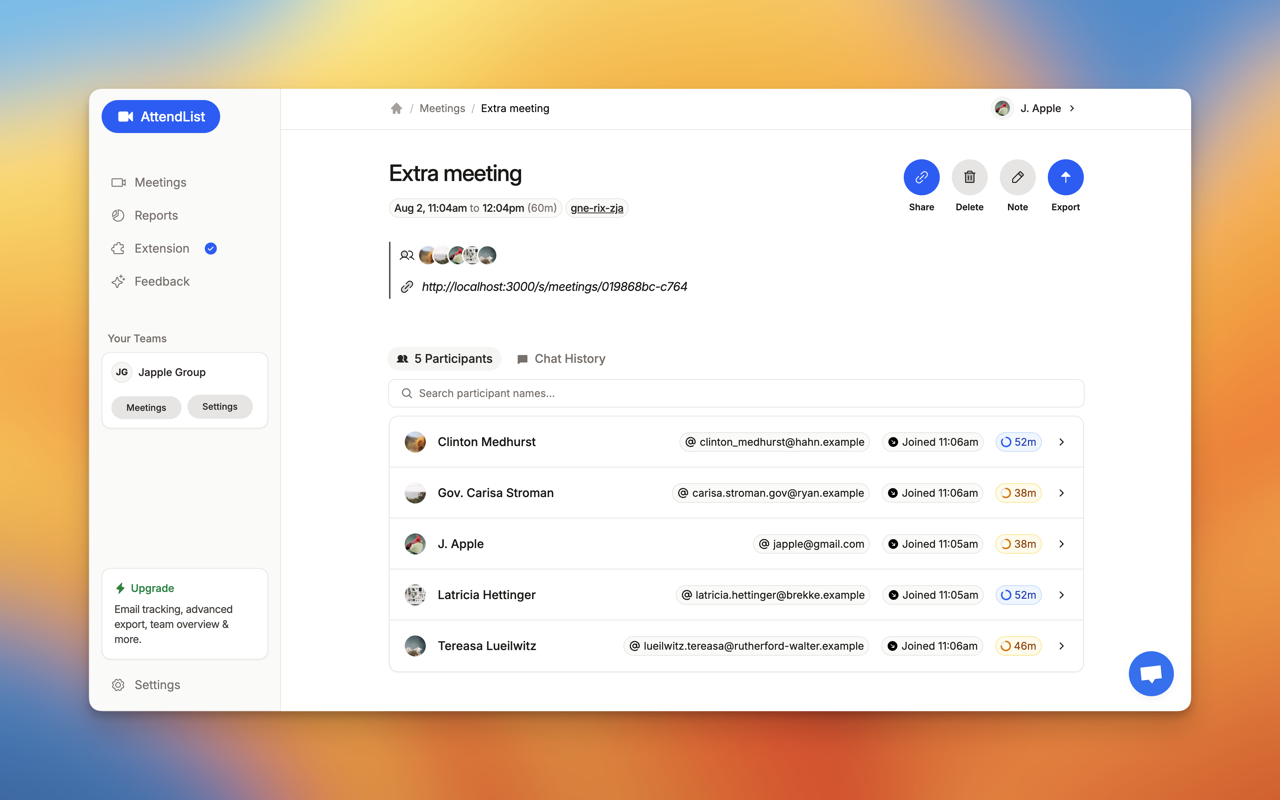
Emails appear next to each participant in the attendance report, and in an Email column when you export the report.
Why is an email missing?
Google only allows AttendList to look up a participant's email if they are in:
- your Google contacts,
- your "other" contacts, or
- the same Google Workspace directory as you.
If a participant isn't in any of those, AttendList still records their name, join and leave times, but without an email address.
Getting more emails
- Check that AttendList has the Contacts permission, in the "Your Account & Permissions" tab of your settings.
- Add the people you meet with regularly to your Google Contacts.
Related
Frequently asked questions
Why is a participant's email missing from my attendance report?
Google only lets AttendList look up an email when the participant is in your Google contacts, your 'other' contacts, or the same Google Workspace directory as you. If none of those apply, the report shows their name without an email.
Do I need a paid plan to see participant emails?
No. Email tracking is included on every AttendList plan, including the free Basic plan.