Google Meet attendance report not showing up?
If an attendance report is missing from AttendList, work through these checks to find it.
If an attendance report is missing, work through these five checks in order.
1. Sync your meetings
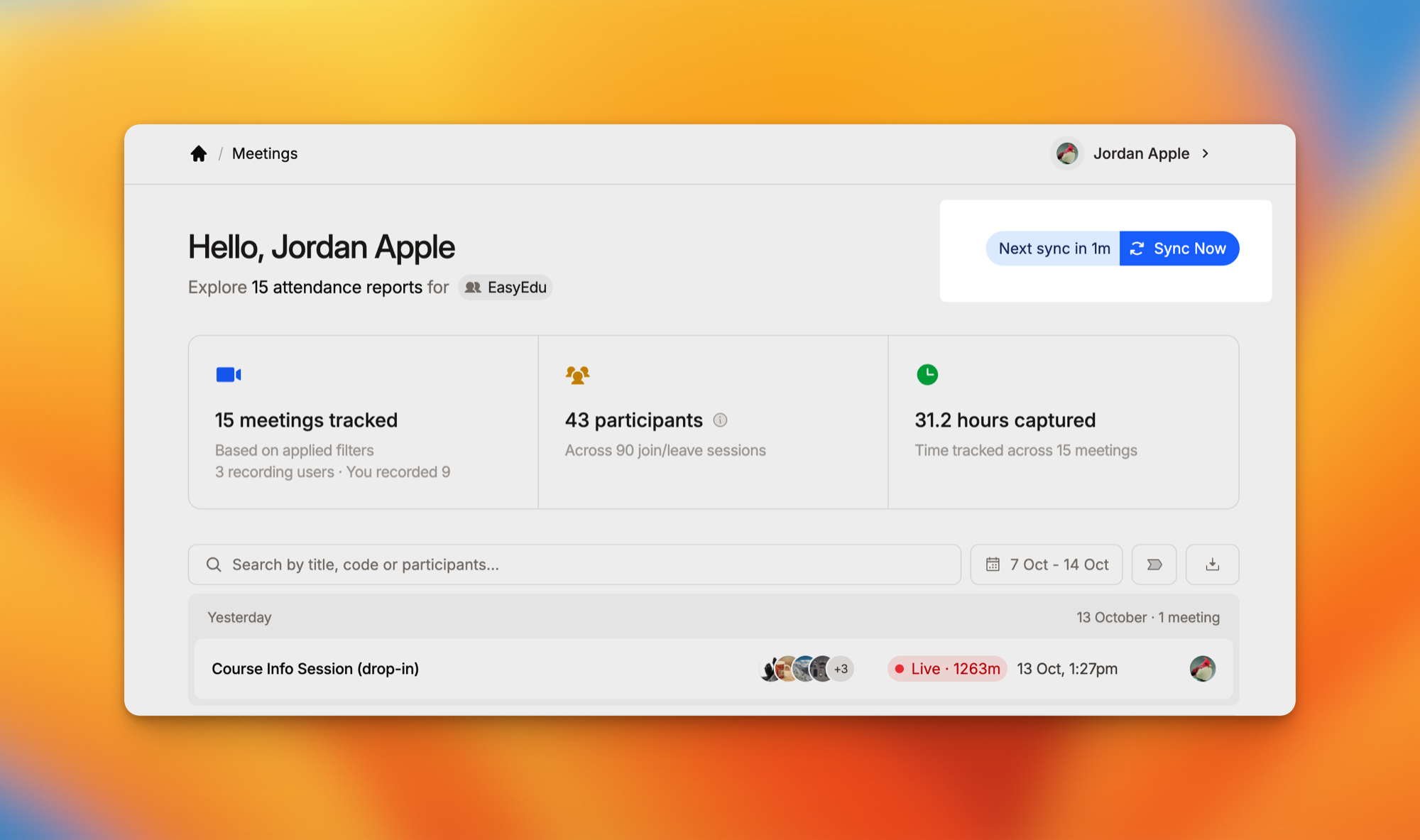
AttendList syncs with Google Meet in the background: every hour on the free plan, and every 5 minutes on Pro. A meeting that just ended may not have synced yet.
Click "Sync Now" on your Meetings page to fetch your latest meetings straight away.
2. Check your Google account
AttendList tracks the meetings you join with the Google account you signed in with. Check that:
- You joined the meeting with that same Google account, not a different work or personal one.
- AttendList still has its Google permissions. Open the "Your Account & Permissions" tab in your settings and reconnect anything that's missing.
3. Check your tracking settings
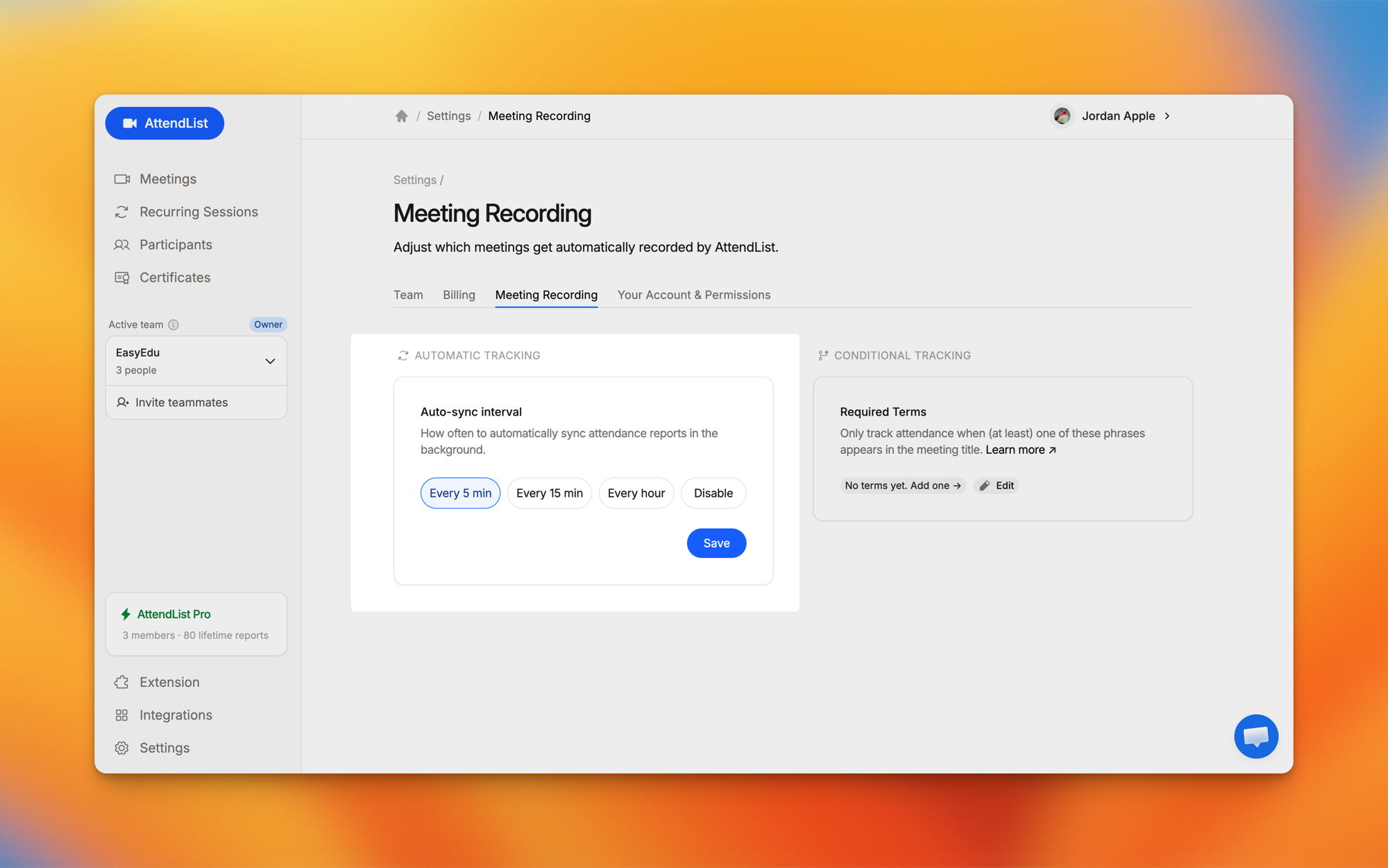
Open your Meeting Recording Settings:
- Automatic Tracking shouldn't be set to "Disable".
- Conditional Tracking skips any meeting whose title doesn't contain one of your required terms. Remove the terms to record every meeting. Learn more.
4. Check your date range and team
- The Meetings page shows the last 7 days by default. Widen the date filter to see older meetings.
- Reports are saved into your active team. If you belong to more than one team, switch teams in the sidebar.
- In a team, Members see the reports they recorded. Owners and Admins see everyone's.
5. Check your plan limits
The free plan includes 50 attendance reports per team member and 14 days of history. Tracking continues past those limits, but the extra reports are locked until you upgrade. See what the free plan includes.
Still missing?
Use the "Open Live Chat" button below and tell us the meeting's date and time. We'll take a look.
Frequently asked questions
Why isn't my Google Meet attendance report showing in AttendList?
Most often the meeting hasn't synced yet. Reports are created every hour on the free plan, so click Sync Now on your Meetings page to fetch it straight away. Also check that you joined with the Google account you use to sign in to AttendList.
How long does an attendance report take to appear?
Up to an hour on the free plan, and up to 5 minutes on Pro. The Sync Now button and the Chrome extension both fetch reports sooner.