Export an attendance PDF
Export a clean, print-ready PDF of any attendance report.
You can export a PDF of any attendance report in 1-click. Just open a meeting report, click the blue Export button on the top-right, and select PDF.
The PDF export contains the same data available in the CSV attendance spreadsheet, and looks like this:
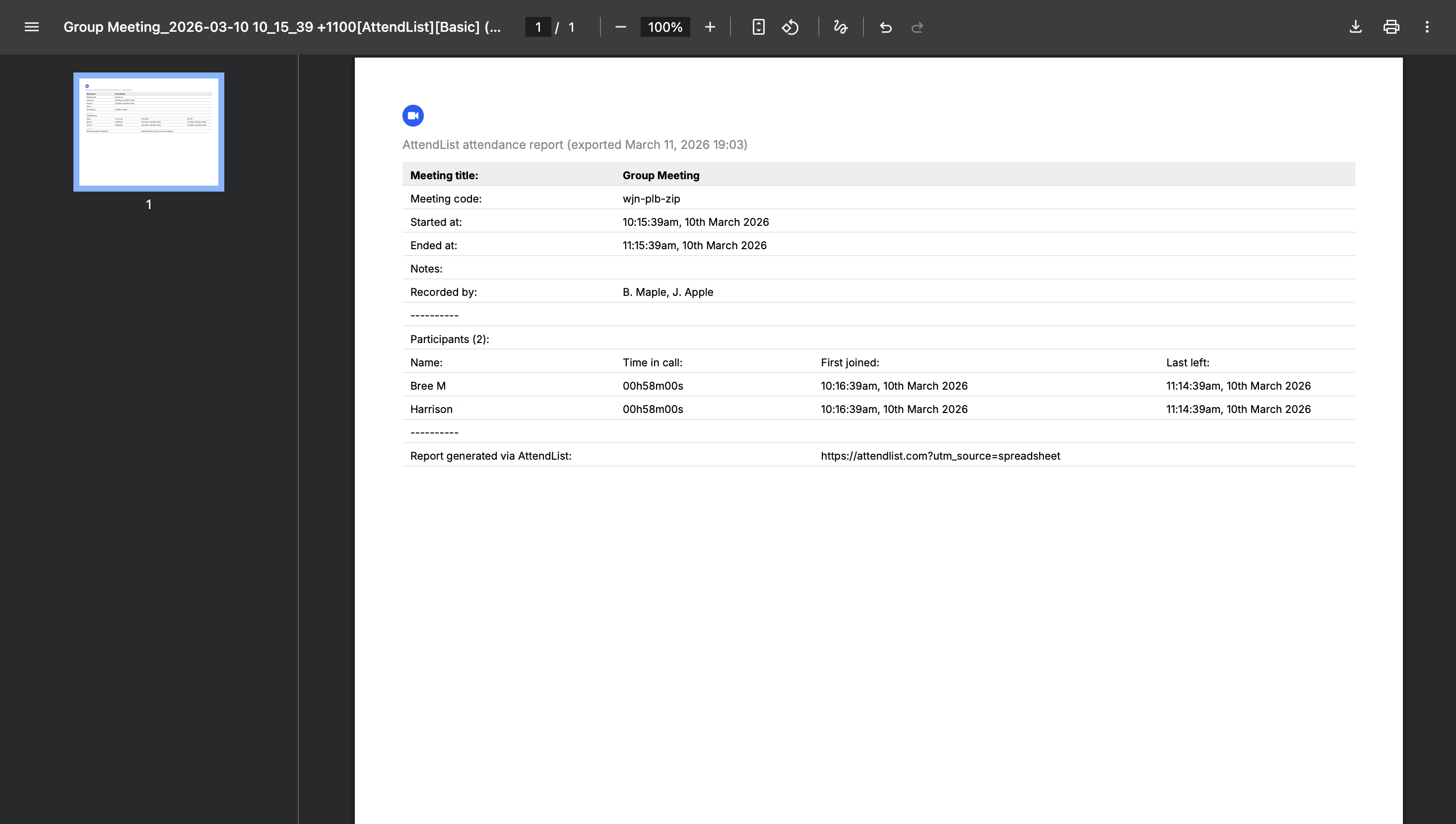
Export your attendance report as a PDF by clicking the 'Export' button on any meeting report page and selecting PDF.
A PDF export can sometimes be more useful than a spreadsheet export. For instance, they can be ideal for auditing purposes or submitting to regulatory bodies, which sometimes deal with PDF files.
PDF exporting is available on the Pro plan. View pricing.